Build an ATS-Friendly Resume Online With AI
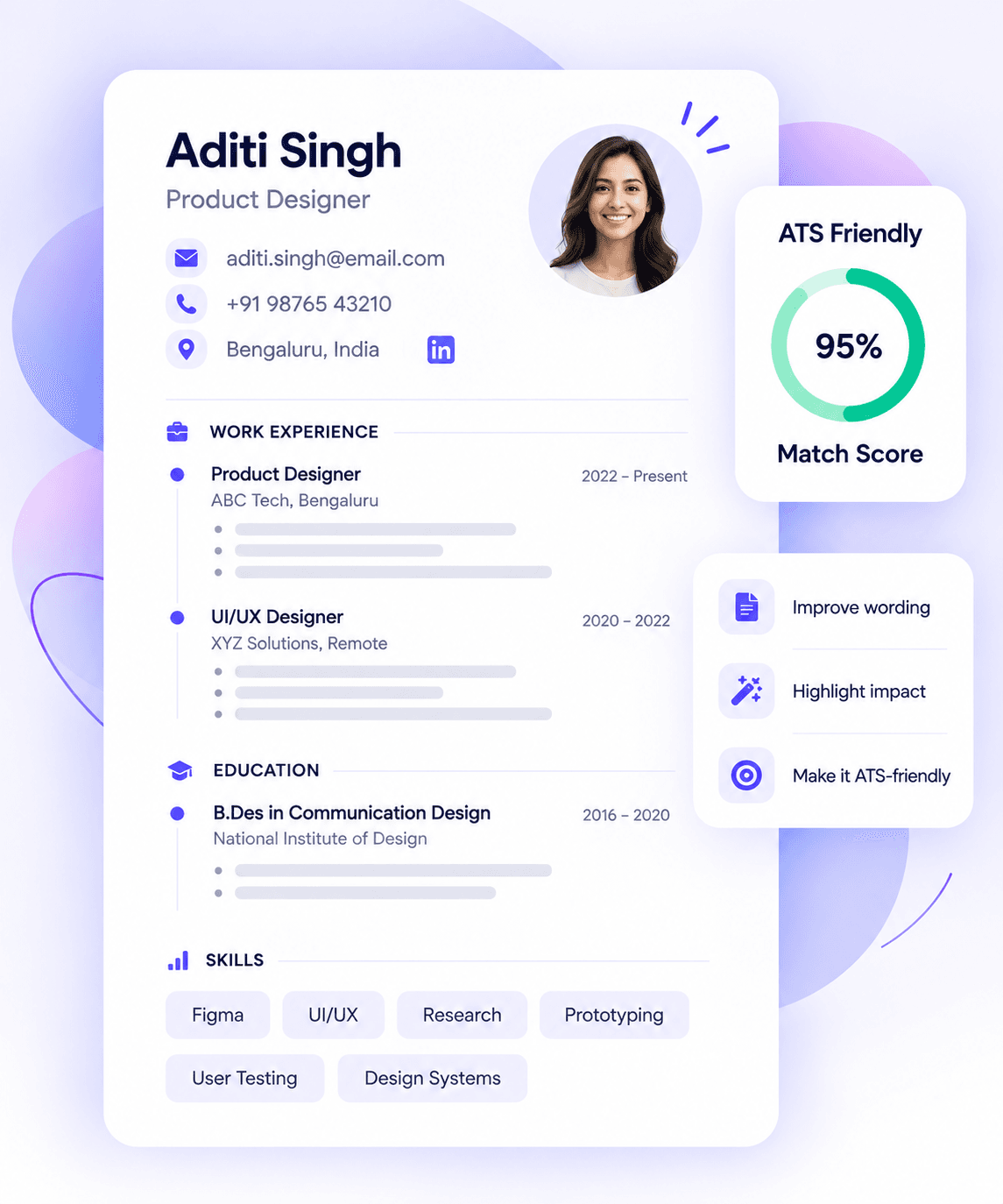
Turn your experience into a clear, job-ready resume with Walkin24’s AI resume builder. Choose a template, improve your wording and check your basic ATS resume score before you apply.
- Choose an ATS-friendly template
- Improve your wording with AI
- Check your basic ATS score
1 resume free · Basic ATS score included. Job-description matching, full ATS analysis and AI resume improvements are available on paid plans.
What job seekers are trying to solve
Tailoring every application
“What should I change for this job?”
Getting past ATS
“Can the system actually read my resume?”
Writing better experience
“How do I make my work sound relevant?”
Choosing the right keywords
“Which skills should I include?”
Your starting point
Start a new resume, or improve the one you already have
You do not need the same workflow every time. Start from a blank structure when you are building your first resume, or use your current resume as a reference and rebuild the sections that need work.
Starting from scratch
Build my first resume
Add your education, projects, experience and skills step by step. Use a clear template so you can focus on the content first.
Start a new resumeAlready have a resume
Improve my current resume
Bring over the facts from your existing resume, compare them with the target job, and rewrite only the sections that need clearer evidence or stronger wording.
Improve my resumeHow it works
Get your first draft on the page
You do not need to write a perfect summary before you begin. Start with the details you already know.
Add your details
Write down what you did
Add your education, experience and skills. Include projects or volunteering where they help explain the work you can do.
Review the draft
Make each line useful
Choose a template. Read your draft and review the feedback available on your plan. Check names, dates and every claim.
Check the file
Read it once more before applying
Open the exported file. Look at the page breaks and contact details, then follow the employer’s upload instructions.
Product features
Everything you need to build and improve your resume online
Start with a professional layout, use AI resume writing help when a sentence feels awkward, and run an ATS resume check before you apply.
Resume templates
Choose a layout and add your details without starting with a blank document.
AI resume writer
Turn rough notes into clearer summaries and bullet points with an AI resume writer. Review every suggestion before you use it.
ATS resume checker
Use the basic ATS resume checker to spot sections, wording and formatting that may need another look.
Job-description match
Compare your resume with a job description and review how you have explained the relevant skills.
Resume review
Review feedback on your wording and layout before you send the next application.
PDF download
Open your exported PDF and check the final page breaks, links and contact details.
Templates
Choose an ATS-friendly resume layout that is easy to scan
Try a few professional styles with the same content. Keep the reading order clear and give your experience enough room to stand out.
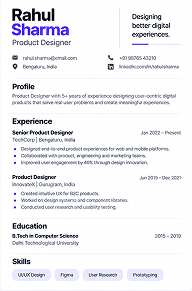
Minimal
Start with a spare layout and clear sections.
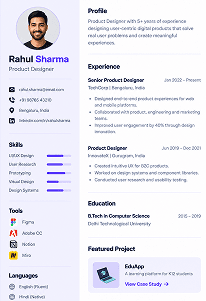
Professional
Give your work history plenty of room.
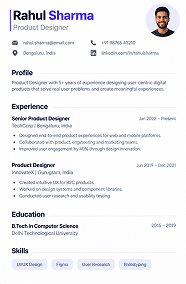
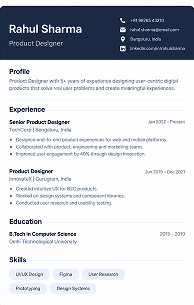
Modern
Use simple headings with a restrained accent.
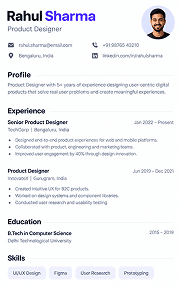
Elegant
Keep the typography understated.
Creative
Review the reading order before choosing a more visual layout.
ATS resume checker
Check your ATS-friendly resume before you apply
Use the ATS resume checker to review your draft, then fix the issues that actually matter for the role. Read the feedback, make the relevant change and check the revised version again.
A score does not tell you whether an employer will shortlist you. Look at the issue behind the number.
Basic score: free plan. Full analysis: paid plans.
Illustrative findings
ExampleShow where you used SQL
You list SQL as a skill. Add a relevant project example if it reflects your actual work.
Check the internship dates
Include the start and end dates you can confirm.
Make the reporting task specific
Replace “worked on reports” with the task you completed and the tools you used.
ATS-friendly resume basics
What makes a resume ATS-friendly?
An applicant tracking system can extract details from your resume into application fields. Clear text and familiar headings reduce avoidable reading problems. Always check the employer’s file instructions.
Readable text
Keep important details in text, not inside an image.
Clear sections
Use headings such as Experience, Education and Skills.
Relevant wording
Explain the skills you have in the context of your work.
A final file check
Review the exported file and any application fields filled from it.
Example reading order
Name and contact detailsExperienceEducationSkills
Adapt the order to your experience; this is a structure, not a universal ATS certification.
ATS score breakdown
Do not just show a score. Show what to fix next.
An ATS resume checker is more useful when you can see why the score changed. Every score should come with a concrete next action.
Illustrative score example, not a live analysis
Add evidence for SQL
SQL appears under Skills, but there is no project or experience example showing where you used it.
Make the internship dates consistent
Use one date format throughout the resume so the timeline is easier to read.
Replace a vague responsibility
Change “worked on reports” to the report, tool and task you actually handled.
Check the target job keywords
Compare the job description with your resume and add missing terms only when they match your experience.
AI resume writer
Turn rough experience into clearer resume bullet points
Give the AI resume writer useful facts, then review the suggestion and make sure the wording still describes what you actually did.
I built a college library project in Java and MySQL. I added book search and features to issue and return books.
“Worked on a library project.”
“Built a Java and MySQL library project with book search, issue and return features.”
Why it is better: the revised bullet names the tools and explains your contribution. It adds no invented users, grades or results.
Resume examples by role
See what a strong resume can look like for the job you want
Do not copy someone else’s career history. Use role examples to understand which sections, skills and proof are usually worth bringing forward.
Analytics
Data Analyst
Show SQL, Excel, dashboards, data cleaning and the decisions your analysis supported.
Technology
Software Engineer
Lead with shipped projects, technical stack, ownership and measurable product or system impact.
Marketing
Digital Marketing
Connect channels, campaigns and tools to traffic, leads, conversion or revenue you can support.
Sales
Sales
Prioritise targets, pipeline ownership, client work and verified results rather than generic responsibilities.
People
Human Resources
Show hiring, employee support, HR systems, policy work and the scale of the processes you handled.
First job
Fresher / Graduate
Use projects, internships, coursework and volunteering to prove skills before you have long work experience.
Job-description matching
Make the connection to the job clear
Read the job description beside your resume. When you have relevant experience, explain where it appears in your work or projects.
A missing keyword can mean you left out a useful detail. It can also mean the role asks for something you have not learned yet. Check which applies before changing your skills list.
Only add skills you can explain in an interview.
Compare the plansIllustrative job match
Junior Data Analyst
- Evidence present
Excel reporting
Your example mentions a weekly sales report.
- Add context
SQL
Describe the college project where you used it.
- Experience gap
Power BI
Your supplied experience does not mention this skill. Do not add it without relevant experience.
Career stage
Work with the experience you have
Your first job application and your next career move need different details. Start with the experience that matters to the role.
Students and freshers
Use a project, internship or volunteer task to explain a skill. Add the tools you used and the part you handled. Paid work is not your only source of evidence.
Start with what you have done
Working professionals
Start with your recent work. Give useful detail about your responsibilities and the outcomes you can support. Remove tasks that tell the reader little about the role you want.
Make your contribution clear
Career changers
Show where your experience overlaps with the new role. Keep your actual job titles and dates. Use the summary to explain the move without disguising your background.
Explain the relevant connection
Walkin24 accounts are for users aged 18 and above.
Before you apply
Give your resume one last check
A small error can distract from useful experience. Read the exported file and check these details before you upload it.
- My email address and phone number are correct.
- My dates and job titles match my actual experience.
- Every skill I list has a real example behind it.
- The most relevant information is easy to find.
- I can select the text in my exported file.
- I checked the employer’s requested file type.
Free and paid
What can you do with the free AI resume builder?
Start with one resume and a basic ATS score. Review the paid features before deciding whether you need them.
Need job-specific help?
- Higher resume limits
- Full ATS analysis
- Job-description matching
- AI improvements
ATS resume keyword scanner
Match the job description without stuffing your ATS-friendly resume with keywords
Use your target job description to see which relevant skills and terms are missing from your resume. Add them only when they reflect work you have actually done.
Excel reporting
Found in your experience section.
SQL
Listed under skills. Add a project example if it is accurate.
Power BI
Not found in the supplied experience.
Useful for an ATS-friendly resume, job-specific CV and role-focused resume review.
Resume builder online
Build a job-specific resume online for the role you want
A general resume can hide your strongest fit. Create a role-specific version that brings the most relevant projects, skills and experience closer to the top.
Everything you have done
General resume
- All tools and skills listed together
- Same summary for every application
- Projects shown in chronological order
Put the relevant evidence first
Target: Data Analyst
- Lead with SQL and Excel projects you can explain
- Use a summary written for the target role
- Keep unrelated detail shorter
Resume and CV builder online
Need a CV instead of a resume?
Use the same clean structure to build a job CV for applications that ask for one. Add the sections that matter to your experience, then review the final document before you apply.
Work experience
Roles, responsibilities and relevant results.
Education
Qualifications, institutions and dates.
Projects
Relevant work that shows what you can do.
Skills
Tools and skills you can demonstrate.
Certifications
Relevant certifications and training.
Languages
Languages that matter to the role or application.
Cover letter builder
Make your resume and cover letter tell the same story
Your resume shows what you have done. Your cover letter can explain why this role matters to you and which part of your experience is most relevant.
Start with the job description, choose one or two strong examples from your resume, then write a letter that connects those examples to the role.
Build my cover letterIllustrative cover-letter setup
- Target role
- Junior Data Analyst
- Relevant experience
- Excel reporting internship + SQL college project
- Reason for applying
- Interested in turning reporting work into deeper analytics
Suggested opening
“I am applying for the Junior Data Analyst role because it builds on the reporting work I handled during my internship and the SQL analysis I completed in a college project.”
Matching application
Keep your resume and cover letter consistent
A strong application should not tell two different stories. Use the same target role, experience and skills across both documents, then let the cover letter add the motivation and context your resume does not have room for.
Resume
Evidence first
Experience, projects, skills and outcomes.
Cover letter
Why this role
Motivation plus one or two examples from the resume.
Professionals from leading companies use Walkin24
- Microsoft
- Amazon
- TCS
- Infosys
- Accenture
- Deloitte
Walkin24 is an independent platform and is not affiliated with or endorsed by these companies.
Your data
Know what happens to your resume
Delete it when you no longer need it
The Privacy Policy says Walkin24 retains resumes and job descriptions until you delete them or close your account.
Read how your content is used
The policy says Walkin24 does not sell personal data or use your content to train AI models. AI providers process content to deliver the service.
Resume ready? Move on to interview preparation.
Practise behavioural interview questions, HR interview questions and answers, fresher interview questions, and technical interview preparation with Walkin24’s online interview practice.
FAQs
AI resume builder and ATS checker FAQs
Clear answers about plans, ATS scores, AI writing and your data.
Is Walkin24 a free AI resume builder?
Walkin24’s published free plan includes one resume and a basic ATS resume score. Paid plans add full ATS analysis, job-description matching and AI resume improvements. Check the current plan details before you start.
What makes an ATS-friendly resume?
An ATS-friendly resume uses clear sections, readable text and relevant details so recruitment software can extract the information more reliably. Use familiar headings, keep contact information in the main document and follow the employer’s upload instructions.
What should an ATS-compliant resume maker help me do?
Look for readable layouts and content you can edit. Check the file you download and any fields the employer’s application form fills from it. Treat an ATS-compliant label as a design aim, not a guarantee that every employer will accept the file.
Does a high ATS score guarantee an interview?
No. Treat the score as feedback on your draft. It does not represent an employer’s shortlist or promise an interview. Read each recommendation and check whether it fits the job.
Can I build a resume without work experience?
Yes. Use relevant education, projects, internships or volunteering. Explain what you did yourself. Avoid adding experience just to make the page look full. Walkin24 accounts are for people aged 18 and above.
Will the AI write my entire resume?
Start with your own facts. Use the writing suggestions to review wording, then check every statement. Delete any qualification, responsibility or result that does not describe your experience.
Should I add every keyword from the job description?
No. Include skills you actually have and explain where you used them. A missing skill may be something to learn, not something to add to your resume.
Can I use Walkin24 as a resume builder online?
Yes. You can build and edit your resume online, choose a template and review the feedback available on your plan. Always check the final exported file before you submit an application.
Can I download my resume as a PDF?
Walkin24 offers PDF export. Check your plan’s download access, then review the exported file before applying. Follow a different file requirement when an employer specifies one.
Can I make more than one resume?
The free plan includes one resume. Paid plans offer higher resume limits. Check the current plan allowance before creating versions for different roles.
What happens to my resume data?
The Privacy Policy says Walkin24 retains resumes and job descriptions until you delete them or close your account. It also says Walkin24 does not sell personal data or use your content to train AI models. Read the policy for processing and deletion details.
Start free
Build your ATS-friendly resume online
Choose a template, add your experience and use Walkin24 to improve the wording and check your basic ATS score before you apply.
Create my resume freeOne resume and a basic ATS score on the free plan.